Follow a team and read a match
Follow your club, open a completed match and inspect the chances behind the result.
Basics 3 of 34 steps
Find your team
Open a team page, follow the club, then choose a completed match to see what happened beyond the score.
For this walkthrough, use Arsenal. You can also start with the Premier League team table and open a club from there. Check the team name and selected season before reading the figures.
Choose Follow in the team header. On a small screen, this may appear as a star button. You need to sign in to follow a team. Once saved, the button reads Following and the star is filled. Choose it again to unfollow.
A free account can follow one team. Paid accounts can follow three. If you have already reached your limit, unfollow a club before choosing another.
Open a completed match
On the team page, choose Matches for the club's match history. Choose Fixtures when you want its upcoming schedule. You can go straight to Arsenal's matches.
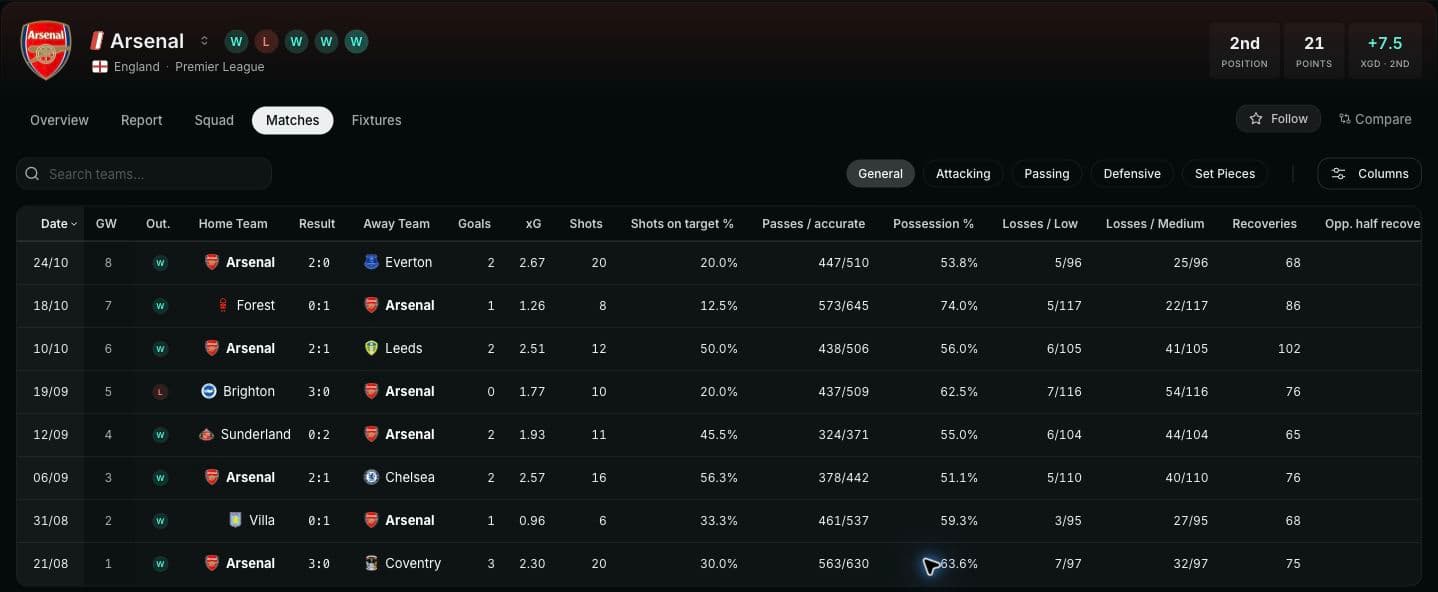
Example screen from 26 October 2026. Figures change as matches are played.
Choose a result in the table to open that match. After your free page preview, you will need a free account to continue through the reports. Sign in if prompted. Pro sections remain locked on a free account.
Open a completed match from the list. Check both team names, the date and the competition so you are reading the fixture you intended. A match that has finished may still be waiting for its report. If the page says the report is not available yet, choose another completed match for this exercise.
Read the match before choosing a chart
Start with the score and the verdict near the top. Read the reasons beneath the verdict, then follow a reason's link to inspect the evidence behind it. Use Stats for the teams' figures side by side, or Line-ups to check who played.
For example, open an Arsenal match and ask: did the chances support the result? Compare the score with the displayed xG, then inspect the chances themselves. You do not need to decide the answer before opening the charts. If the term is unfamiliar, read expected goals first.
Follow the chances and the changes
In a Premier League match with event data, find Shot map. Depending on the page layout, it sits in the summary or the Report section under Chances. Read the shot list beside the pitch. Hovering a row highlights its marker, so you can connect the player and outcome to the location.
Then find How it unfolded. Use the xG Race and Momentum charts to look at the timing of the match. On smaller screens, choose between them with the chart controls. Return to the shot map to inspect the attempts around a spell you want to understand.
The full-match shot map is available without Pro. Half-by-half views and some deeper report modules require Pro access. Other leagues can have team statistics without event-level charts, so their match pages may offer Stats without the shot map or tactical report. Follow the sections present on that match page.
Open Arsenal's matches to choose a report. To investigate an individual player next, follow Build a player shortlist.